
This is a method to get around the lag that was introduced in FoE
back in November 2025.
It will look different, its loading the browser version of the game usually used on a PC and loading it onto a mobile device.
Open <Forge of Empires Website> on your mobile device.
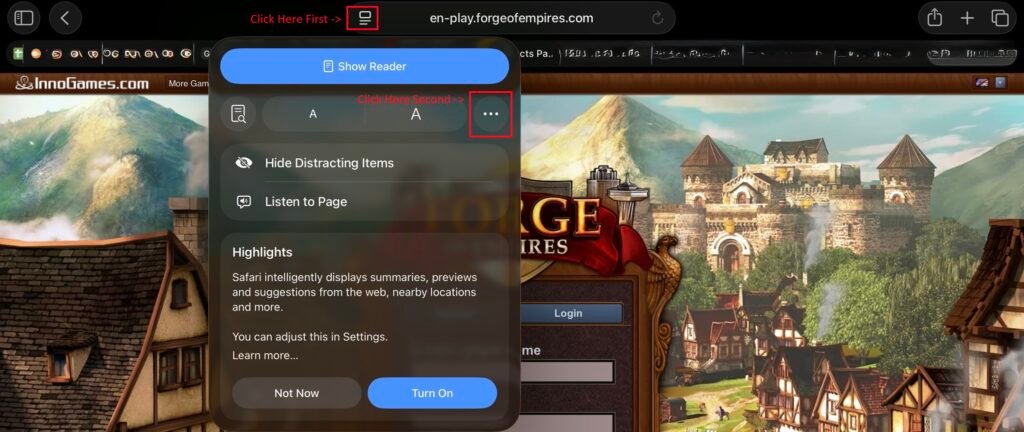
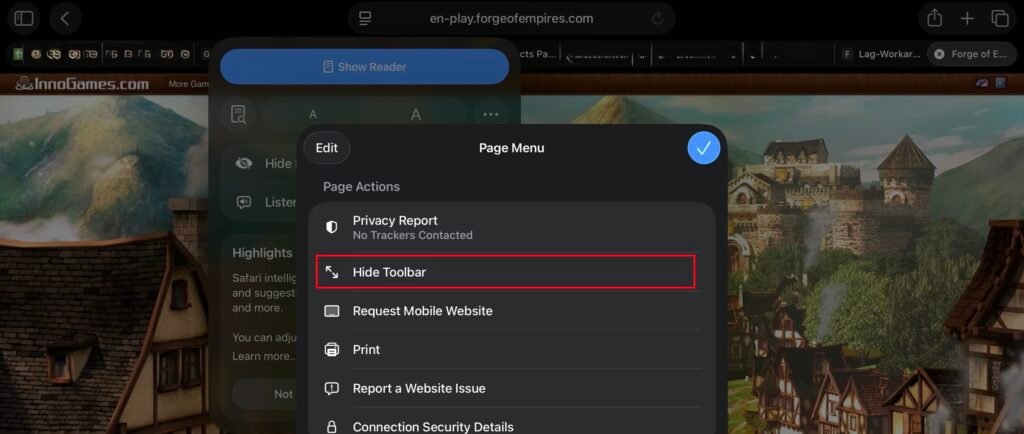
On iPad (Safari) change the setting to Hide Toolbar.
Click the button to the left of the website URL,
Then click the button that comes up after you press the first button. Which has the 3 dots.
Click on Hide Toolbar.
Login with your account, Press the big play button on the right and choose your world.

If you click the button in the red square on the bottom left of the screen it will change your zoom level.